 1st JMSB
QV/11.03Guide
The tablet
Num 5 opens it: the bar, the RADIO tile, the net row and GLOBAL, the RADIO app's tabs, and the RTO's nets on MANAGE.
QV/11.03/G1GuideOpening it
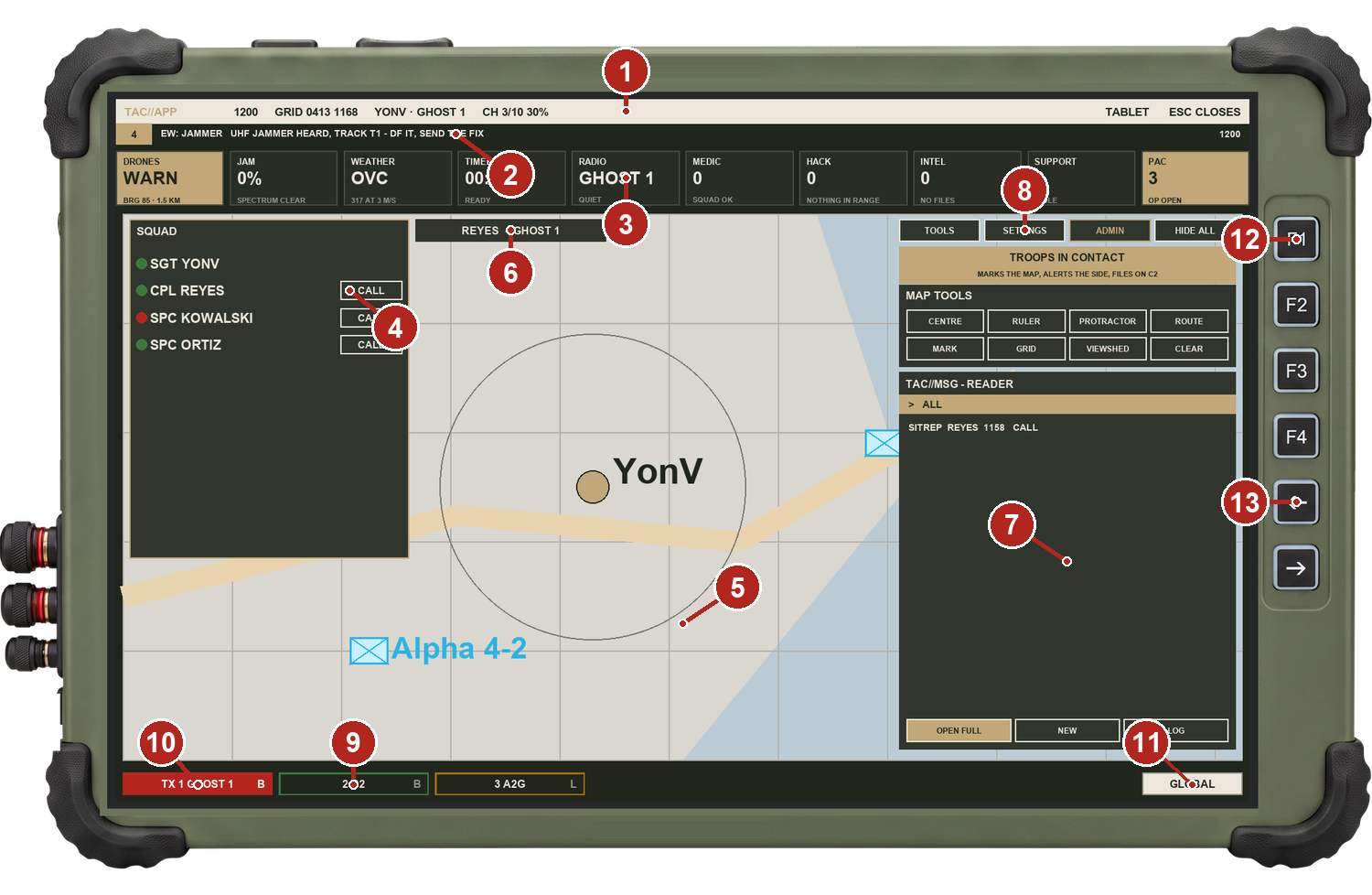
Num 5 opens the tablet in your hands and closes it again; so does the ACE self-interaction menu. ESC closes it. A player with the UAV skill gets the UAV tablet - the same screen in a frame with grips - and the crew of a vehicle get the vehicle tablet. Addon Options > Devices > Tablet frame lets you pick Large or UAV outright instead of Auto.
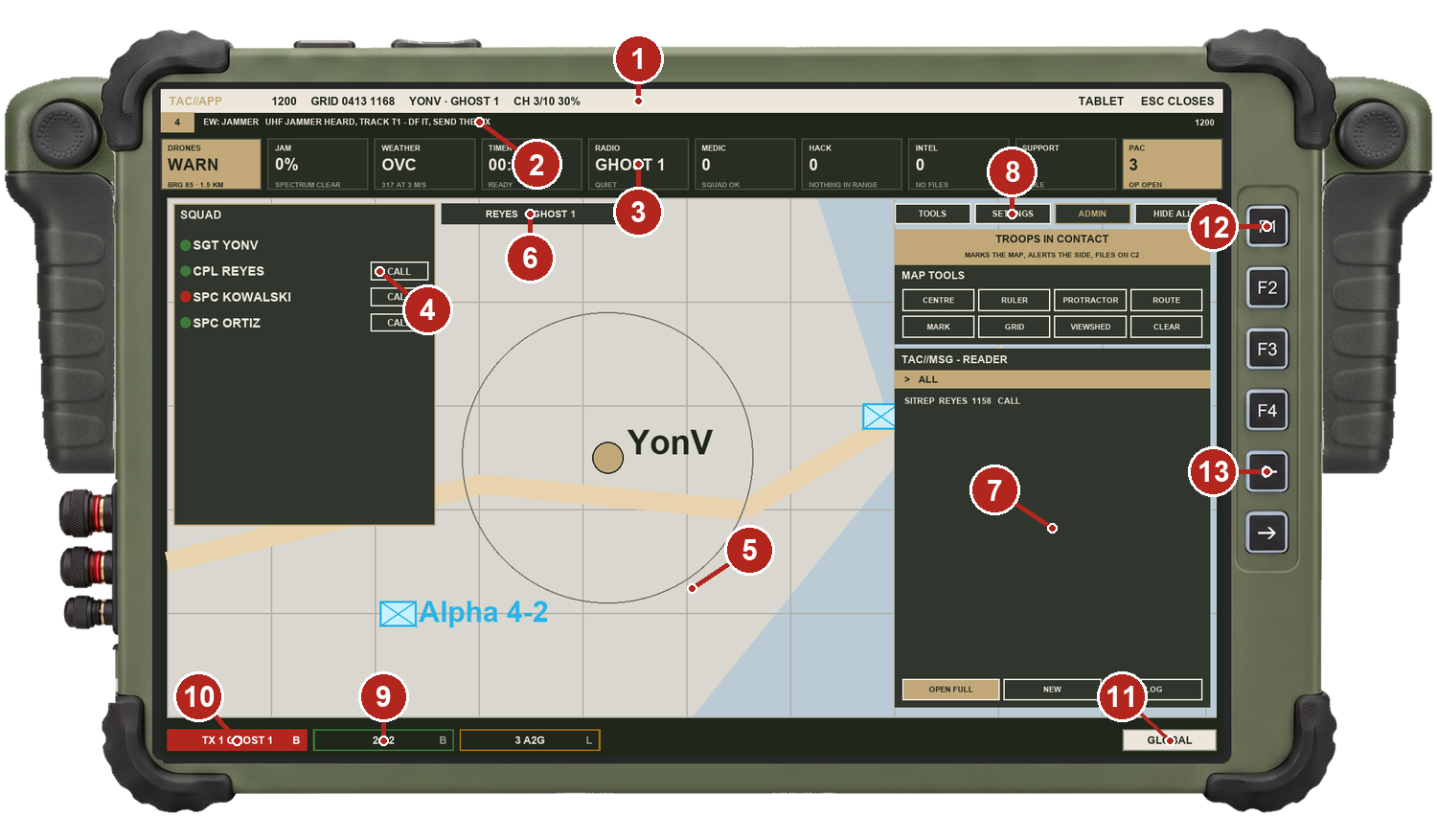
Everything on it is also on the phone, smaller; the full apps are described under The TACPAD.
- Bar - time, your grid, your name and squad, and CH: radio channels used and the share still free.
- Notification line - the latest alert and how many are waiting.
- RADIO tile - your active net. Press it for the RADIO app: NETS, CALLS and MANAGE (Num 6 opens it, Num 7 / 8 step the tabs).
- Squad rail - CALL beside a name dials that person.
- Map - with the map tools in the panel on the right.
- Talking chip - who is talking, on which net.
- TAC//MSG reader - messages by net. CALL on a message replies with a phone call.
- SETTINGS - device keys, phone size, tablet frame, grid digits, the voice beeps, colour scheme.
- Net chips - number = key (Num 1-4), filled = active, outline = signal.
- TX - red while you transmit.
- GLOBAL - server-wide talk for C2 members and admins. Red with ON GLOBAL while it is on; press again to go back to your net.
- F1-F4 - Ctrl+Num 1-4, the tablet's own keys.
- The arrows - Num 0 / Num . step the active net.
QV/11.03/G2GuideThe RADIO app
- NETS - every net you are on, with its channel, ear and mute, and the mesh quality to each man.
- CALLS - the contacts, ADD GROUP, FIND, the live call, callbacks. The call's owner adds people; the RTO and admins can dial FLASH.
- MANAGE - leaders, RTOs and admins. WHO CAN shows the rights by role. An RTO or admin makes RTO nets here: a name, the squads to put on it, CREATE; pick the net on NETS and MEMBERS becomes its editor, people by name, APPLY. Each net takes one of the ten voice channels for the mission, so there is a cap (two by default).
QV/11.03/G3GuideWho hears you
Push To Talk sends on the filled chip. Global is a button, not a channel you can fall into by accident: press it, say your piece, press it again.