 1st JMSB

QV/11.02Guide
The phone and side devices
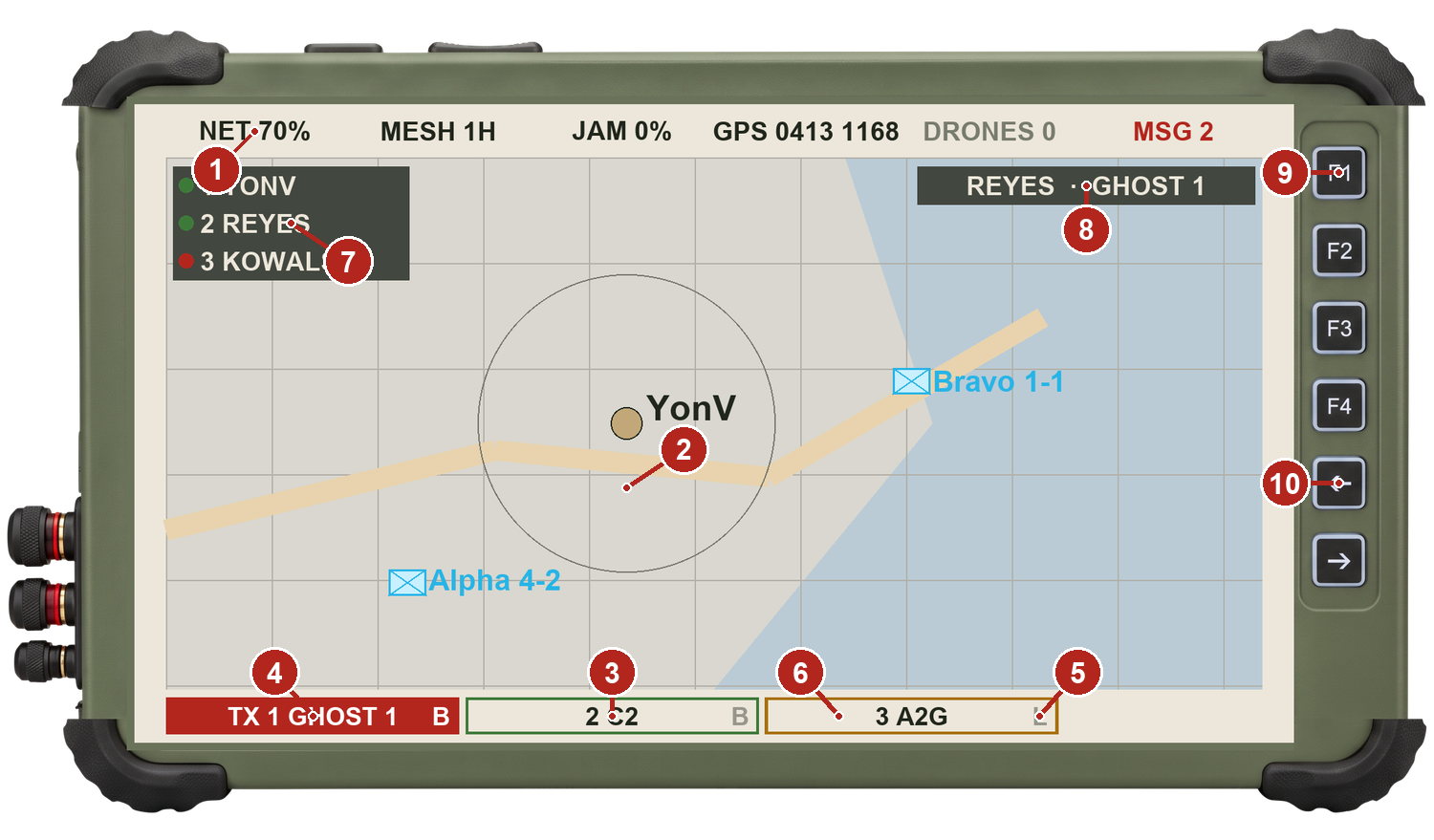
The walking view in your GPS slot: the status row, the net chips, TX, the keys, with the drawing numbered.
QV/11.02/G1GuideThe phone
The walking view: a phone in your GPS slot, always on screen at the bottom of the view. It is your radio's face and a small map. Hide and show it with Ctrl+End; its size is under the tablet's SETTINGS > DEVICES.
- Status row - NET: how many of the game's ten radio channels are still free (at 0% a new call cannot connect). MESH: hops to the network, DIR when direct. JAM: how much jamming you are under. GPS: your grid, 8 or 10 figures by your setting. DRONES. MSG: unread messages, red when there are any.
- Map - centred on you, with your squad's markers.
- Net chips - the number is its key, Num 1-4; the filled chip is your active net, the one Push To Talk sends on.
- TX - the chip goes red with TX in front while you transmit on it.
- Ear tag L / B / R - which ear that net's beeps play in.
- Outline is signal - green good, amber weak or jammed, red no route to anyone, dim when you have muted it.
- Squad list - a status dot per member: green OK, amber wounded, red down.
- Talking chip - who is talking right now, and on which net.
- F1-F4 are Ctrl+Num 1-4: accept a call, ear, mute, decline or hang up. Change what each does under SETTINGS > DEVICE KEYS.
- The arrows are Num 0 and Num .: step the active net left and right.
QV/11.02/G2GuideThe side device
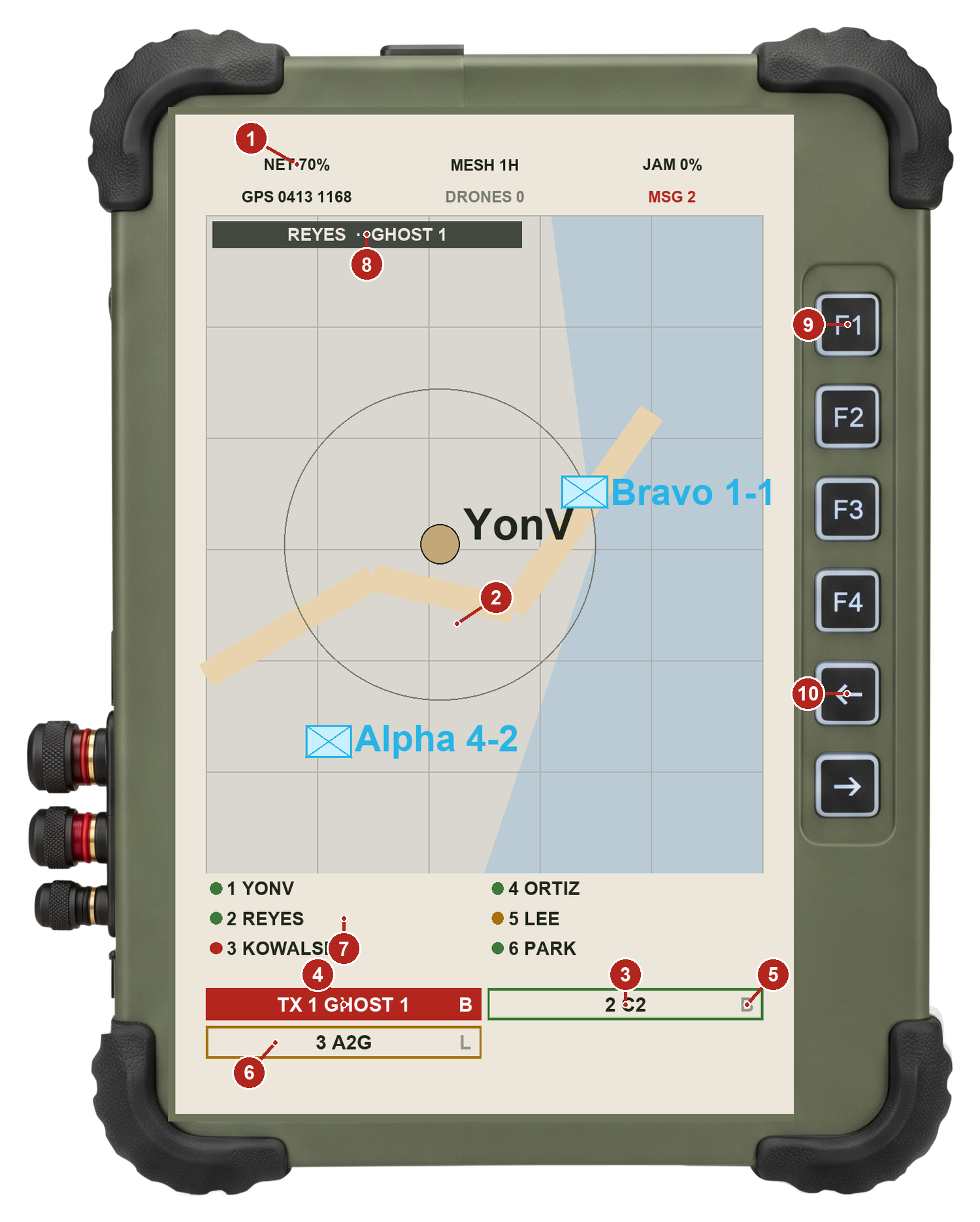
The same walking view stacked tall, on the left or right edge of your screen instead of the bottom. The status is two rows of three, the squad list two columns under the map, the net chips two columns under that. The numbers above apply as they are. Pick the edge and the size under SETTINGS > DEVICES.
QV/11.02/G3GuideSettings that matter
- Device grid digits - 8 figures (10 m) or 10 (1 m), for the GPS cell and the tablet bar.
- Phone size, side device size, side device edge - the walking view's size and where it sits.
- Device keys - what F1-F4 and the arrows do on the walking view.
- Device opacity - the whole device fades together, frame included.
The phone hides by itself while you look through a scope.